Grok Build 1.0.34 makes Memory generally available — use it for conventions, not a second task tracker
Grok Build 1.0.34, released September 16, makes cross-session Memory generally available. Notes are scoped per project or globally; xAI says task state, secrets, and material already in repository docs are excluded.
xAI released Grok Build 1.0.34 on September 16, 2026. The release makes the coding agent’s cross-session Memory generally available. The feature stores durable project conventions and decisions, then reads relevant notes when a later session starts. (Source: xAI changelog, September 16, 2026)
Key facts:
- Grok Build 1.0.34 is the release that made Memory generally available. (Source: xAI changelog)
- Memory has separate project-workspace and global scopes. (Source: xAI Memory announcement, September 16, 2026)
/memoryopens a read-only browser for the generated memory files. (Source: xAI Memory announcement)/dreamconsolidates recent observations into topic files. (Source: xAI Memory announcement)grok memory clearcan clear workspace, global, or all cross-session memory. (Source: xAI CLI reference)
The important builder detail is the boundary, not merely that an agent can remember. xAI says Memory is for durable facts such as how a team runs tests, code-review conventions, project decisions, and where a subsystem lives. It says task state, tentative conclusions, secrets, and material already covered by repository docs are left out. (Source: xAI Memory announcement)
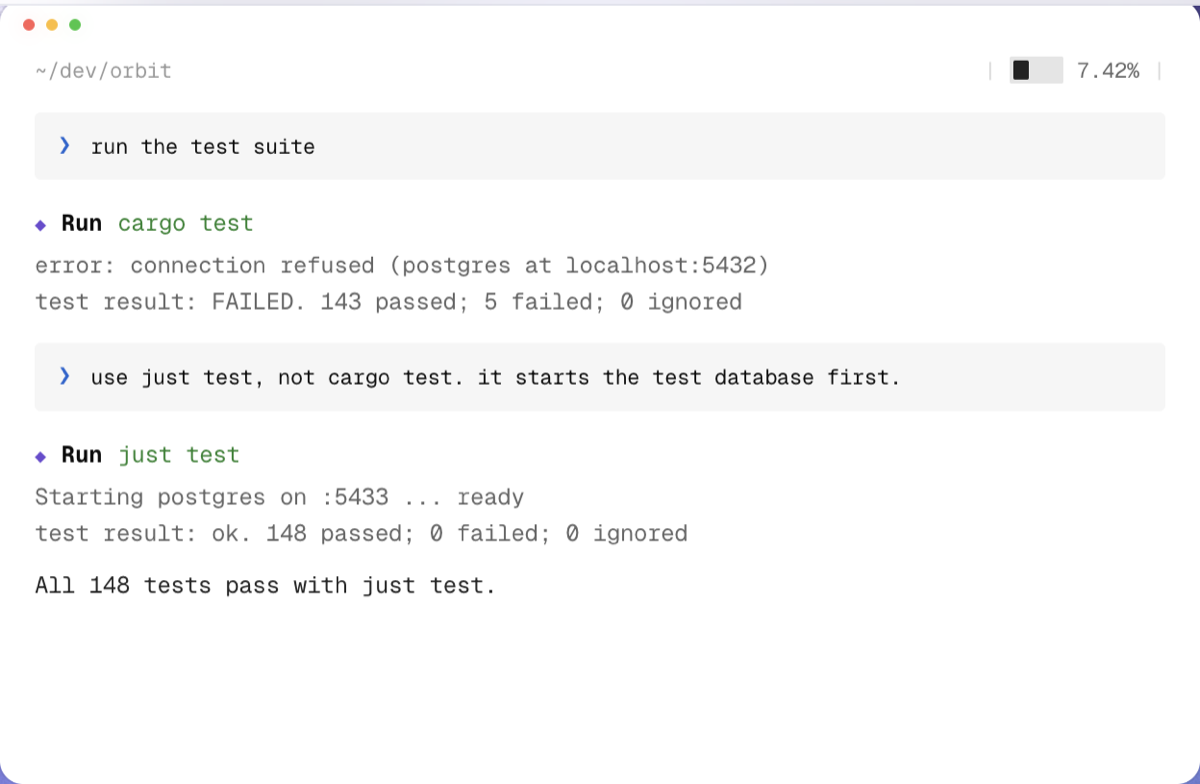
What this means if you build with Grok Build
Treat Memory as a convention layer, not a replacement for AGENTS.md, issue tracking, or a secret manager. Keep the canonical, reviewable rules in the repository. Let Memory capture the small operational facts that repeatedly slow down fresh agent sessions: “use just test, not cargo test,” “this service starts on port 5433,” or “the release checklist needs a staging migration first.” The official docs say current-conversation instructions take precedence over a note, so an explicit task instruction remains the control surface. (Source: xAI Memory announcement)
This distinction matters in shared machines and client repositories. Do not paste credentials, incident hypotheses, or unfinished plans into an agent conversation just because the feature says it excludes them. Exclusion is a product behavior, not a reason to weaken normal secret-handling or documentation discipline. Use the memory browser to inspect what was generated, and clear a scope when a project handoff or security boundary calls for it.
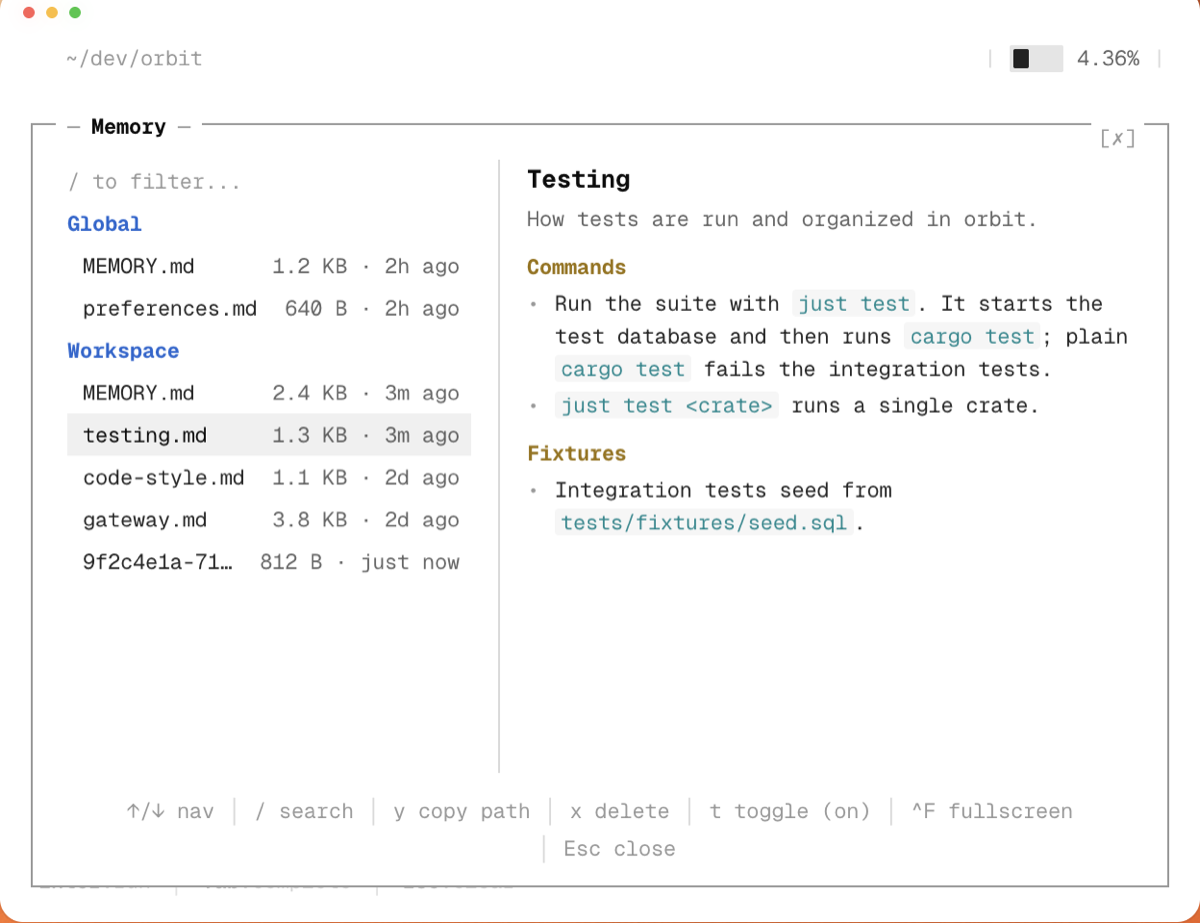
For a practical setup, start with our Grok Build guide to define project instructions, then use the Grok Build CLI installation guide to verify the configuration discovered in a repository. The CLI docs document grok inspect for that check. If a fact affects every developer or deployment, put it in version-controlled docs; if it is a helpful, per-workspace operating detail, Memory is the new place to inspect and maintain it.
Sources
- xAI — Grok Build changelog (September 16, 2026)
- xAI — Memory in Grok Build (September 16, 2026)
- xAI Docs — CLI reference
- xAI Docs — Grok Build settings and scopes
Source: xAI (official changelog)